
Where can I see my Credit Balance?
Updated
You can view a detailed summary of your Credit Balance in the LFC Official App. If you’ve already downloaded the app, make sure you have the latest version.
Within the app, you can view your Credit Balance for each competition, home and away.
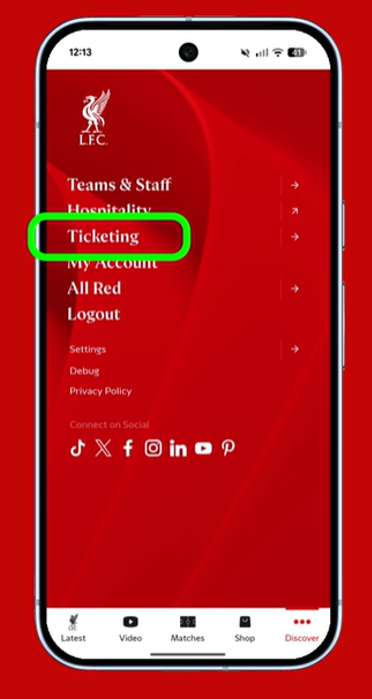
Our video guide explains how to view your Credit Balance in the app. Alternatively, you can follow these steps:
Tap Discover.

Select Ticketing.
Select View Match Credits from the Ticketing menu. If you’re not logged in, you’ll be asked to do this now.
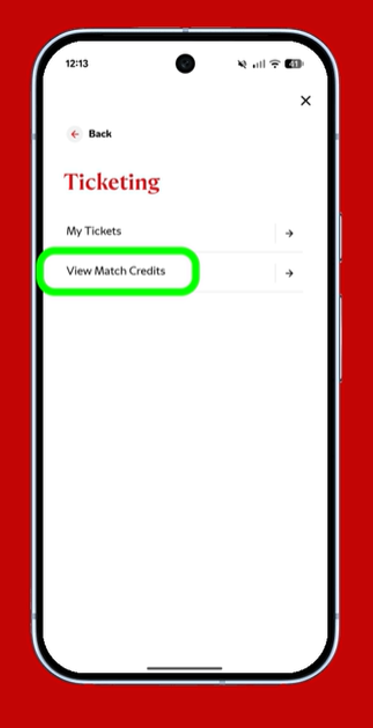
Once in Match Credits, you will be able to see your Credit Balance for each competition, home and away.
You can still view a basic summary of your Credit Balance in the Match Credits section of My Account.