How does Ticket Forwarding work for European Away fixtures?
Updated
You are able to nominate another supporter to use your ticket using Ticket Forwarding, provided they are linked on your Friends & Family list.
When making a booking, assign tickets to each eligible supporter number as usual and choose one of the below options for each ticket in the booking:
Ticket owner attending – this option should be selected if you are attending yourself.
Ticket to be forwarded – this option should be selected if you wish to forward the ticket to a supporter on your Friends and Family List.

It is important that you select the correct option as changes cannot be made once the booking is complete.
Providing Travel Details
The Supporter ID, travel and passport details must be provided at point of purchase for each ticket that will be forwarded. This is a temporary change to the usual process, where ordinarily these details would be required at the point of Ticket Forwarding.
Once you have completed the online form, tick the confirmation section and then click Apply:

Ticket Forwarding Process
Once confirmed, tickets are typically available to forward within 15 minutes. You will have until the advertised deadline to forwawrd the ticket to the nominated supporter on your Friends and Family List. Make sure to select the correct nominated supporter.
To forward a ticket:
Log in to your Ticketing Account.
Select Tickets and click the relevent fixture.
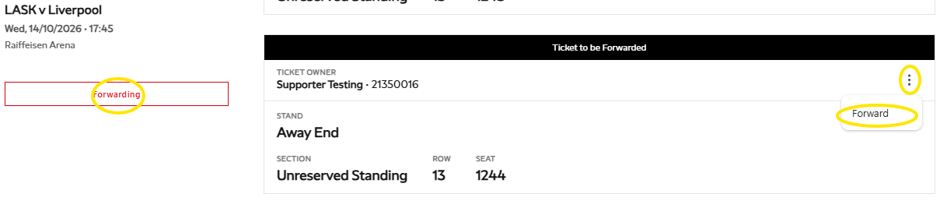
Click Forwarding or click the three dots on the right-hand side and select Forwarding.
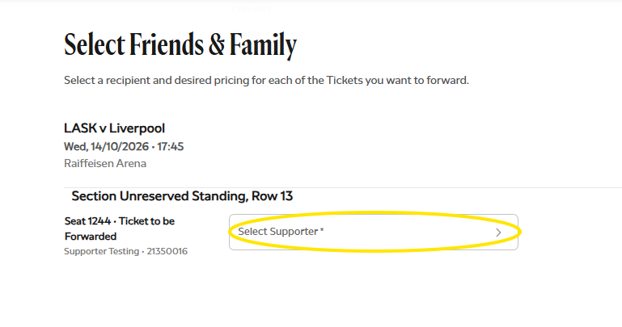
Select the supporter from your Friends and Family List.
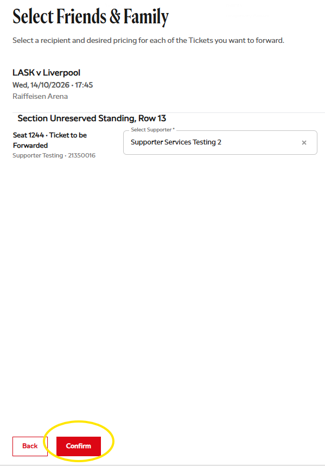
Click Confirm.
Click Confirm again to continue.
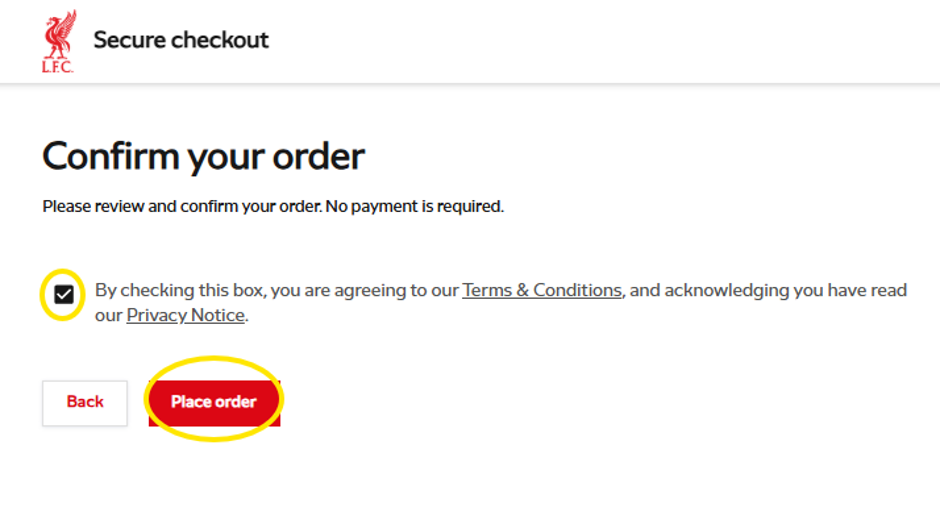
Tick the box to agree to the Terms and Conditions, then select Place Order.